|
Introduction |
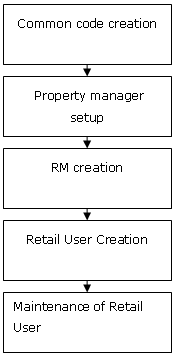
The retail bank customer can perform various banking activities using the e-Banking application. In order to enable the customer perform different operation, the following task flow is required:
These activities are accomplished by the Retail Administrator. The user can login the application using the specified password. The user is prompted to change the password while logging for the first time. For subsequent operations, the user can use the new password thus created. Note: Any number of CIF IDs can be linked to a Retail User ID.
|
|
Steps to enable the application for the Retail User |
|
|
Process Diagram |
Click the below icon to view the process diagram.
|